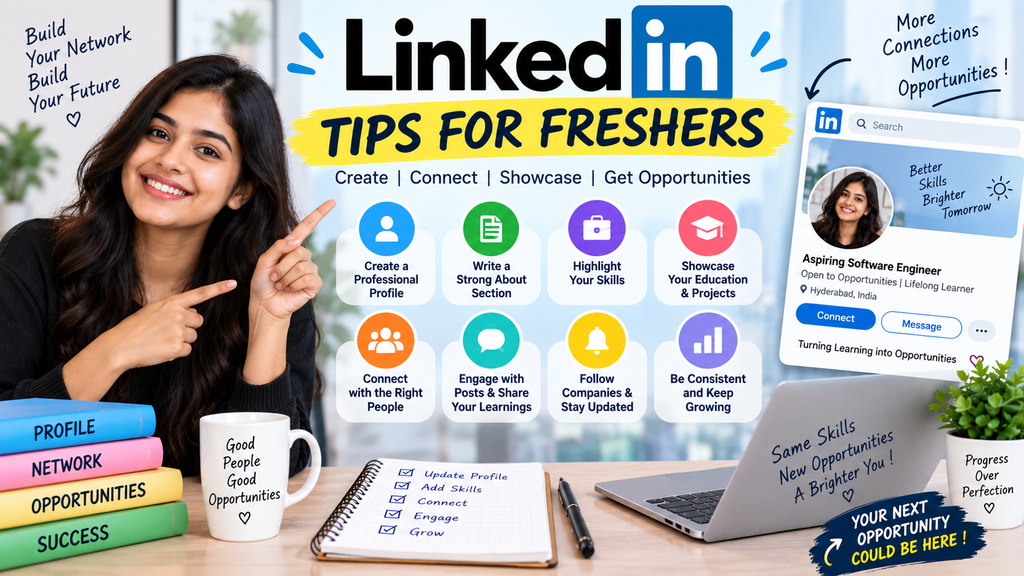
LinkedIn Tips for Freshers: How to Build a Profile That Gets Noticed
Starting your career can feel confusing, especially when you are applying for jobs but are not getting many responses. One thing that can make a difference is having a good LinkedIn profile.
LinkedIn is not only a place to add your resume or search for jobs. Recruiters also use it to find candidates, check their skills, understand their background, and contact people who may be a good fit for an opening.
If you are a fresher, you may be thinking, “I don’t have much experience. What should I even put on my LinkedIn profile?”
The good news is that you don’t need years of work experience to create a useful profile. Your education, projects, internships, certifications, technical skills, and the type of career you are looking for can all help you build a strong profile.
In this guide, we will go through some simple LinkedIn tips for freshers and explain what you can actually do to improve your profile.
Why LinkedIn Is Useful for Freshers
Many students create a LinkedIn account, add their college name, and leave the profile incomplete. This means recruiters may not get a clear idea about what the person can do.
A complete profile gives recruiters more information.
For example, imagine two freshers applying for the same software job.
The first profile only says:
B.Tech Graduate | Looking for a job
The second profile says:
Computer Science Graduate | Python | SQL | Java | Web Development | Interested in Software Development
The second profile immediately tells the recruiter more about the candidate.
This does not mean a LinkedIn headline alone will get you a job. Your skills, projects, education, resume, interview performance, and experience all matter. But a well-prepared LinkedIn profile can make it easier for recruiters to understand your background.
1. Use a Professional Profile Photo
Your profile photo is one of the first things people notice.
You don’t need an expensive photoshoot. A simple and clear photograph is enough.
Try to use a photo where:
Your face is clearly visible
The background is simple
You are wearing something appropriate
The photo is reasonably well lit
You are the only person in the picture
Avoid using group photos, heavily edited photos, selfies with distracting backgrounds, or pictures from parties and vacations.
You don’t need to look overly formal either. The main goal is to look clear and professional.
2. Write a Clear LinkedIn Headline
The headline is one of the most important parts of your profile.
Many freshers simply write:
Student at XYZ College
You can use this space more effectively.
For example:
Computer Science Graduate | Python | SQL | Data Analysis | Open to Entry-Level Opportunities
Or:
B.Tech CSE Student | Java | SQL | DSA | Web Development | Looking for Software Roles
If you are interested in a specific field, mention it.
For example:
Computer Science Graduate | Aspiring Data Analyst | SQL | Excel | Python | Power BI
This makes your career interest easier to understand.
Don’t add skills that you don’t actually know just because they are popular.
3. Write a Simple About Section
The About section is your chance to introduce yourself in a little more detail.
You don’t need to write a long story.
A good fresher About section can include:
What you studied
What area you are interested in
Skills you have learned
Projects or internships you have completed
What type of opportunity you are looking for
Example
I am a recent Computer Science graduate interested in software development and technology. I have worked with Java, SQL, and basic web development through academic and personal projects.
During my studies, I worked on projects that helped me improve my programming, problem-solving, and teamwork skills. I am currently looking for an entry-level software development opportunity where I can learn from experienced professionals and contribute to real projects.
I am always interested in learning new technologies and improving my technical skills.
Keep it honest.
If you only know basic Python, don’t describe yourself as an advanced Python developer.
4. Add Your Education
Your education is important when you are a fresher because you may not have much professional experience yet.
Add details such as:
College or university
Degree
Field of study
Start and graduation year
Relevant activities, when useful
You can also mention relevant coursework if it supports the type of job you want.
For example, a Computer Science student applying for software jobs might mention subjects such as:
Data Structures
Database Management Systems
Operating Systems
Computer Networks
Object-Oriented Programming
You don’t have to list every subject you studied.
Choose the ones that are relevant to your career goal.
5. Add Projects to Your LinkedIn Profile
Projects are especially useful for freshers.
You may not have professional experience, but your projects can show what you have actually worked on.
For each useful project, try to mention:
Project name
What the project does
Technologies used
Your contribution
What you learned
Example
Student Expense Tracker
Built a simple expense tracking application using Python and SQL. The project allows users to record expenses, view spending details, and organize transactions. This project helped me improve my understanding of database operations and Python programming.
That’s much more useful than simply writing:
Expense Tracker Project
If you have a GitHub repository or project demo, you can add the relevant link.
6. Don’t Ignore Certifications
Certifications can help show that you have spent time learning a particular skill.
You can add relevant certifications in areas such as:
SQL
Python
Cloud Computing
Data Analytics
Java
Cybersecurity
Data Science
Digital Marketing
Microsoft Excel
However, don’t collect certificates just to make your profile look bigger.
A few relevant certifications are better than a long list of unrelated courses.
7. Add the Right Skills
LinkedIn allows you to list your skills.
Choose skills that match the type of jobs you want.
For example, if you are looking for software development roles, relevant skills could include:
Java
Python
SQL
Git
Data Structures
Object-Oriented Programming
HTML
CSS
JavaScript
If you are interested in data analyst roles, you could focus on:
SQL
Microsoft Excel
Python
Power BI
Data Analysis
Statistics
Data Visualization
Important
Only add skills you can explain in an interview.
If a recruiter asks you about a skill listed on your profile, you should be comfortable discussing your basic knowledge of it.
8. Customize Your Profile for the Jobs You Want
One common mistake is trying to make your LinkedIn profile suitable for every possible job.
If you are interested in software development, your profile should make that clear.
If you want data analyst roles, your profile should focus more on data-related skills and projects.
For example, if your target role is Data Analyst, your profile can highlight:
SQL | Excel | Python | Power BI | Data Analysis
If your target is Software Developer, you could highlight:
Think about the type of job you want before deciding what to highlight.
9. Connect With People in Your Field
You don’t need thousands of LinkedIn connections.
Start with people you already know:
College classmates
Professors
Alumni
Internship colleagues
Former classmates
People working in your target field
You can also connect with professionals whose posts you genuinely find useful.
When sending a connection request, you can add a short message.
For example:
Hi, I am a recent Computer Science graduate interested in software development. I came across your profile and would be happy to connect and learn from your posts.
Keep it short and polite.
10. Follow Companies You Want to Work For
If there are companies you are interested in joining, follow their LinkedIn pages.
This can help you keep track of:
New job openings
Internship opportunities
Hiring announcements
Company updates
Events
Career-related posts
You can also follow employees and recruiters from companies you are interested in, but avoid sending repeated messages asking for a job.
11. Engage With Useful Posts
You don’t have to become a full-time LinkedIn content creator.
Even simple, genuine activity can help you become more active on the platform.
For example, you can:
Comment on useful career posts
Share something you learned
Post about completing a project
Share a certification
Talk about a hackathon you attended
Share your learning journey
Instead of posting:
I am looking for a job. Please refer me.
You could write something more useful:
I recently completed a SQL project where I worked with joins, subqueries, and window functions. Working on the project helped me understand how SQL is used to solve practical data problems. I am now continuing to improve my SQL and data analysis skills.
This gives people something useful to read while also showing what you are learning.
12. Turn on the Open to Work Option Carefully
If you are actively searching for a job, LinkedIn’s Open to Work feature can be useful.
You can specify the types of roles you are interested in and your preferred locations.
For example:
Job titles:
Software Engineer
Software Developer
Graduate Engineer Trainee
Locations:
Bengaluru
Hyderabad
Pune
Chennai
Remote
Choose locations and roles that you would genuinely consider.
Don’t add 20 unrelated job titles simply to appear in more searches.
13. Keep Your LinkedIn URL Clean
You can customize your LinkedIn profile URL.
A clean URL looks better on your resume.
For example:
linkedin.com/in/yourname
instead of a long URL containing random numbers and characters.
You can then add the profile link to your resume along with your email and other professional links.
14. Use Keywords Recruiters May Search For
This is something many freshers overlook.
Recruiters may search LinkedIn using terms related to a job.
For example, someone looking for an entry-level data analyst may search for terms such as:
SQL, Excel, Python, Power BI, Data Analysis
If these are genuinely your skills, include them naturally in your:
Headline
About section
Skills
Projects
Certifications
Don’t fill your profile with keywords repeatedly.
The profile should still sound like a normal person wrote it.
15. Keep Your LinkedIn Profile Updated
Your profile shouldn’t be something you create once and forget.
Whenever you:
Complete a project
Learn a new skill
Complete an internship
Earn a certification
Participate in a hackathon
Start a new course
Get relevant work experience
update your profile.
Even small updates can help you keep your profile accurate.
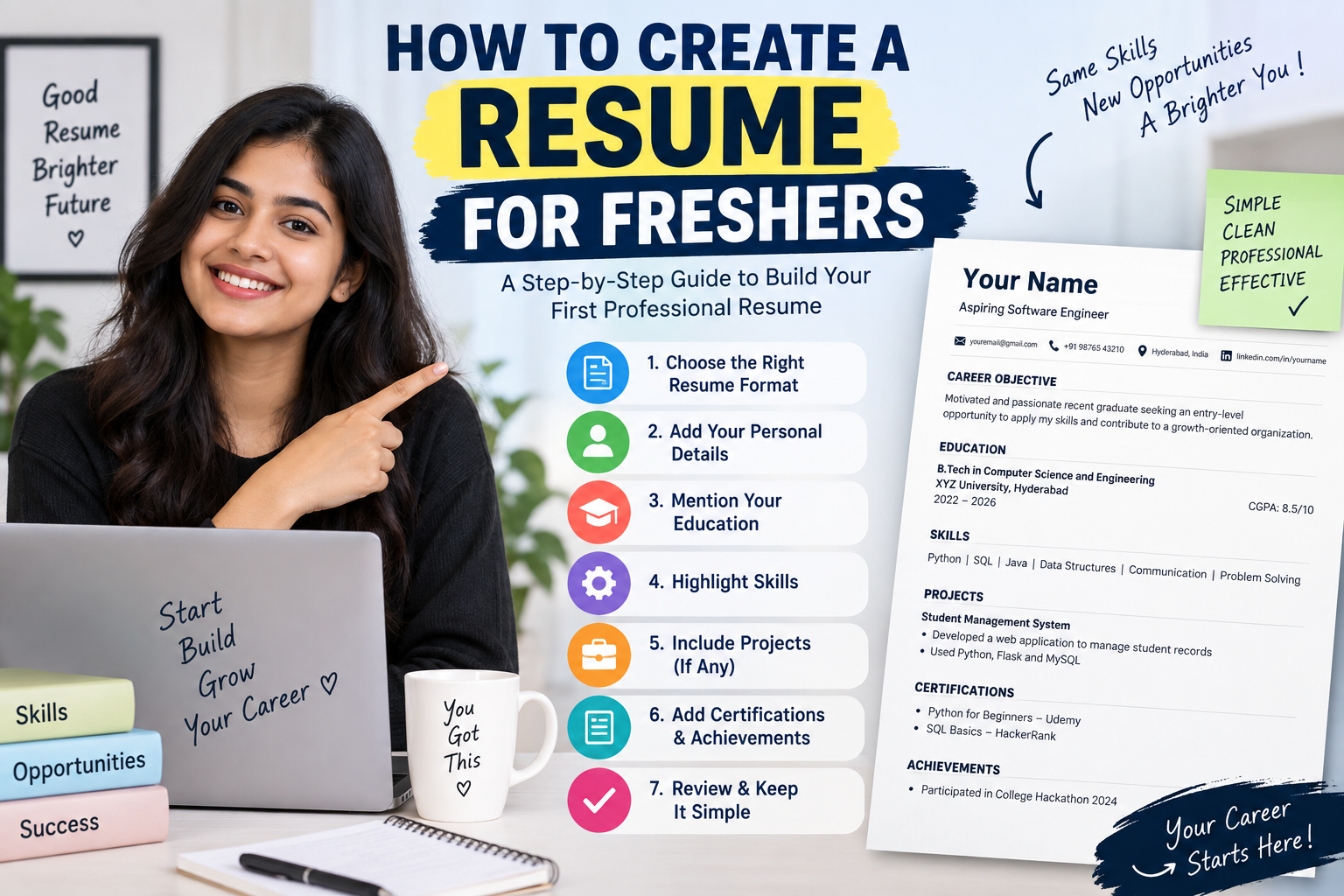
16. Make Your LinkedIn and Resume Match
Your LinkedIn profile and resume don’t have to be identical, but the basic information should be consistent.
For example, if your resume says you worked on a particular project, the project should not have completely different information on LinkedIn.
Check that your:
Education
Skills
Experience
Projects
Certifications
Contact information
are reasonably consistent across both.
Recruiters may look at your LinkedIn profile after seeing your resume, so keeping the information clear and accurate is a good habit.
17. Don’t Lie About Your Experience
This is probably the most important tip.
As a fresher, you don’t need to pretend that you have three years of experience.
It’s completely fine to say:
Recent Computer Science Graduate
or:
Entry-Level Software Developer
Your academic projects, internships, freelance work, open-source contributions, and personal projects can all show what you have learned.
Be honest about your experience and skill level.
It is much better to have a simple but genuine profile than an impressive-looking profile filled with things you cannot explain.
18. Avoid These Common LinkedIn Mistakes
While improving your profile, avoid these mistakes:
❌ Using an unclear profile photo
Use a simple, professional-looking photo.
❌ Leaving the About section empty
Write a short introduction about your education, skills, interests, and career goal.
❌ Adding every possible skill
Only mention skills you actually know.
❌ Copying someone else’s About section
Your profile should represent you.
❌ Sending the same message to every recruiter
Keep your communication personal and relevant.
❌ Asking for referrals immediately
Build a professional connection first.
❌ Writing fake experience
Never claim experience you don’t have.
❌ Ignoring your projects
Projects can be one of the strongest parts of a fresher’s profile.
A Simple LinkedIn Profile Checklist for Freshers
Before you start applying for jobs, check your profile once.
Profile photo: Added and clear
Headline: Clearly explains your career interest
About: Written in your own words
Education: Complete
Projects: Relevant projects added
Skills: Relevant skills added
Certifications: Important certifications included
LinkedIn URL: Clean and professional
Open to Work: Enabled if you are actively looking
Connections: Connected with classmates, alumni, and relevant professionals
Resume: LinkedIn information matches your resume
If most of these are completed, your profile is in a much better position than an empty or incomplete fresher profile.
How Often Should Freshers Use LinkedIn?
You don’t need to spend hours on LinkedIn every day.
Even 10 to 15 minutes a day can be useful.
You could spend a few minutes checking new job posts, a few minutes reading useful career content, and occasionally update or share something related to your learning.
The important thing is consistency.
Instead of creating a profile and never opening LinkedIn again, make it part of your job-search routine.
Final Thoughts
Getting your first job can take time, and having a good LinkedIn profile does not guarantee that a recruiter will contact you. But it can help you present yourself better when someone searches for your profile.
As a fresher, focus on showing what you know, what you have built, and what type of career you want to pursue.
You don’t need a perfect profile.
Start with the basics, add your genuine skills and projects, keep your information updated, and slowly improve your profile as you learn more.
Most importantly, don’t compare your profile with someone who already has five or ten years of experience. Your goal as a fresher is simply to make it easy for a recruiter to understand who you are and what you can offer.
Career Launch Tip 💡
If you are applying for your first job, don’t create your LinkedIn profile only after you find a vacancy. Build it now.
Add your projects, certifications, technical skills, and education before you start applying. When you apply for a job, quickly check your LinkedIn profile and make sure it supports the same career direction as your resume.
Your first LinkedIn profile doesn’t have to be perfect. It just needs to be honest, complete, and useful.