For many freshers, the first step after applying for an IT job is not an interview.
It is an online assessment.
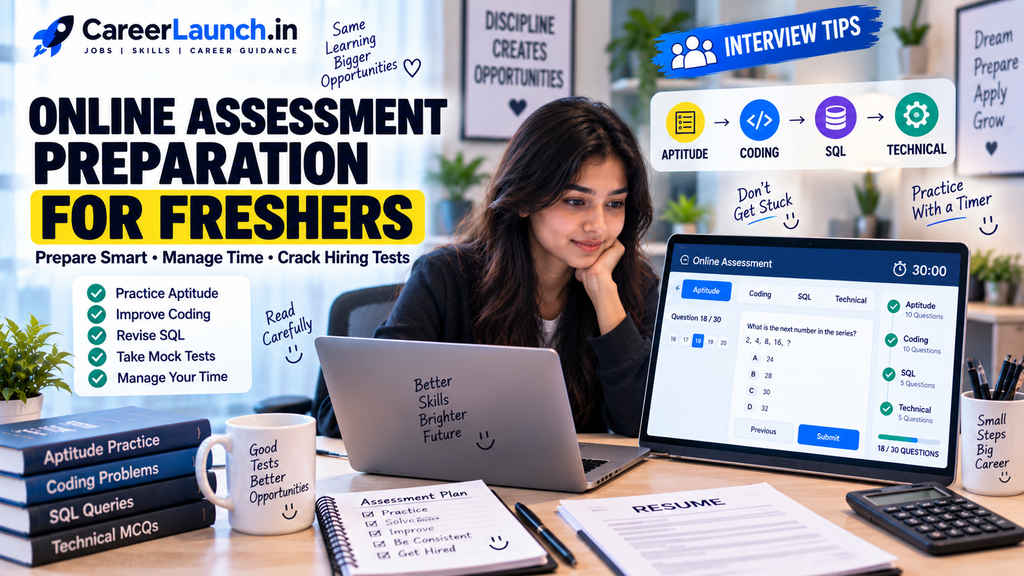
You may receive an assessment link after applying for a job. The test can include aptitude questions, logical reasoning, coding, SQL, English or technical questions, depending on the company and role.
For some students, this part of the hiring process can feel stressful.
You may know the concepts but still struggle because of time pressure. Sometimes, you may understand a coding question but spend too much time trying to solve it.
The good thing is that online assessments can be improved with regular practice.
You don’t need to study for the entire day. You need to understand the type of questions companies ask, practice regularly and learn how to manage your time.
This guide explains Online Assessment Preparation for Freshers in a simple way so you can start preparing without feeling overwhelmed.
What Is an Online Assessment?
An online assessment is a test that companies use to check a candidate’s basic skills before moving to the next stage of hiring.
The exact test depends on the company and role and now i will explain you Online Assessment Preparation for Freshers.
A fresher hiring assessment may include:
Aptitude
Logical reasoning
Verbal or English questions
Coding
SQL
Technical MCQs
Computer fundamentals
Role-specific questions
Not every company includes all of these sections.
For example, a software developer assessment may focus more on coding and technical questions, while another entry-level role may have more aptitude, reasoning and communication questions.
So, always check the job description or assessment instructions before starting your preparation.
1. Understand the Test Pattern First
Before you start preparing, find out what kind of test you are likely to get.
If the company has provided information about the assessment, read it carefully.
Check:
Number of sections
Number of questions
Test duration
Coding requirements
Negative marking, if mentioned
Whether the questions can be skipped
Whether a calculator is allowed
Technical topics mentioned by the company
This helps you prepare for the right things.
There is no point spending weeks practicing advanced coding if the assessment mainly contains aptitude and basic technical questions.
Understanding the pattern should be the first step in your Online Assessment Preparation for Freshers.
2. Start With Basic Aptitude
Aptitude is commonly included in fresher assessments, although the exact pattern varies between companies.
You may come across topics such as:
Percentages
Profit and loss
Ratios
Averages
Time and work
Time, speed and distance
Simple interest
Number systems
Probability
Data interpretation
You don’t need to immediately practice very difficult questions.
Start with basic formulas and simple problems.
For example, if you struggle with percentages, first understand how percentage increase and decrease work. Then solve a few basic questions before moving to harder ones.
The aim is to become comfortable with the concepts.
3. Practice Logical Reasoning
Logical reasoning questions test how you approach a problem.
Common topics can include:
Number series
Coding and decoding
Blood relations
Directions
Seating arrangements
Syllogisms
Puzzles
Statements and conclusions
These questions can become easier when you practice regularly.
Don’t simply check the answer after getting a question wrong.
Try to understand why your approach was wrong.
That is what helps you improve.
4. Prepare for Coding Questions
If you are applying for software development or programming roles, coding preparation is important.
You don’t have to start with extremely difficult problems.
First make sure you are comfortable with:
Variables
Conditions
Loops
Functions
Strings
Arrays
Lists
Basic sorting
Searching
Basic problem solving
Once your basics are strong, start practicing easy and medium-level problems.
For example:
Reverse a string
Find the largest number
Count characters
Check whether a number is prime
Find duplicate elements
Check for a palindrome
Find the second largest number
Count the frequency of elements
The programming language you practice should match the roles you are targeting whenever possible.
5. Don’t Ignore SQL
SQL can be important for many fresher IT roles, not just dedicated database jobs.
You may see SQL questions in technical assessments for developer, data, testing or support roles.
Make sure you understand basics such as:
SELECT
WHERE
ORDER BY
GROUP BY
HAVING
JOIN
COUNT
SUM
AVG
MIN
MAX
Subqueries
Don’t just memorize query formats.
Try writing queries using sample tables.
For example, create an employee table and practice finding employees based on salary, department or joining date.
This gives you better preparation than simply reading SQL notes.
6. Revise Computer Fundamentals
For IT fresher assessments, basic computer science concepts can also be useful.
Depending on the role, revise topics such as:
DBMS
Operating systems
Computer networks
OOP concepts
Data structures
Software development life cycle
Basic programming concepts
You don’t need to study every topic in extreme depth.
Focus on understanding the basic concepts and common interview-level questions.
For example, you should know what a primary key is, what an operating system does and what the basic principles of object-oriented programming are.
7. Practice With a Timer
Knowing the answer is not enough.
You also need to solve questions within the given time.
This is where many freshers struggle.
During your Online Assessment Preparation for Freshers, start taking timed practice tests.
For example, if you have 30 questions to solve in 30 minutes, practice with the same time limit.
This helps you understand how quickly you are solving questions.
You may notice that you spend five minutes on one difficult question.
In a real assessment, that could affect your performance on several easier questions.
8. Don’t Get Stuck on One Question
This is one of the most useful assessment tips.
Suppose you are working on a question and you cannot find the answer after a reasonable amount of time.
Don’t keep staring at it.
If the test allows you to move to another question, continue and come back later if possible and now i’m going to explain Online Assessment Preparation for Freshers.
For example:
Easy question -> Solve
Medium question -> Try
Very difficult question -> Skip and return later
The exact strategy depends on the test rules.
If there is negative marking, don’t blindly guess every answer.
Read the instructions before beginning.
9. Learn to Read Questions Carefully
Sometimes the problem is not your knowledge.
You may simply misunderstand the question.
This happens often when candidates are rushing.
Before solving a question, understand exactly what it is asking.
For coding questions, check:
Input format
Output format
Constraints
Sample input
Sample output
Special cases
For aptitude questions, check whether the question asks for an increase, decrease, difference, average or percentage.
A small mistake in reading can lead to a completely wrong answer.
10. Take Mock Tests
Mock tests are useful because they make the real assessment feel less unfamiliar.
During your Online Assessment Preparation for Freshers, try to take a few complete mock tests.
After each test, don’t only look at your score.
Check:
Which questions did I get wrong?
Which topics took too much time?
Which questions did I guess?
Where did I make calculation mistakes?
This tells you what you actually need to improve.
For example, if you repeatedly lose marks in logical reasoning, spend more time on that topic instead of practicing topics you already know well.
11. Prepare According to the Job Role
Your preparation should depend on the job you are applying for.
For a software developer role, focus more on:
Programming
Data structures
Problem solving
OOP
SQL
Computer fundamentals
For a Data Analyst role, you may want to spend more time on:
SQL
Excel
Data interpretation
Basic statistics
Python, if mentioned in the role
For a testing role, revise:
Testing basics
SQL
SDLC
Test cases
Defect concepts
Basic programming if required
Don’t follow the exact same preparation plan for every job.
12. What to Do One Day Before the Test
Don’t try to learn everything the night before.
Use the last day for revision.
Go through:
Important formulas
Programming basics
SQL syntax
Technical notes
Previous mistakes
Common concepts
Also check your system and internet connection if the test is being taken from home.
Keep your laptop charged.
Choose a quiet place.
Keep any documents or information requested by the company ready.
Then get enough sleep.
Staying awake all night before an assessment usually isn’t a good preparation strategy.
13. What to Do During the Assessment
When the test starts, first read the instructions.
Don’t immediately start clicking through questions without understanding the rules.
Keep an eye on the timer.
Try to maintain a steady pace.
If you are comfortable with a question, solve it and move ahead.
If you are stuck, don’t panic.
One difficult question does not decide your entire assessment.
Stay focused on the questions you can solve.
For coding tests, read the problem carefully before writing code.
Test your solution with the sample input and also think about edge cases if time allows.
14. Common Mistakes Freshers Make
Here are some mistakes you should avoid during Online Assessment Preparation for Freshers.
Studying Without a Plan
Jumping between ten topics every day can make preparation confusing.
Choose a few topics and follow a routine.
Practicing Only Easy Questions
Easy questions are good for building confidence, but slowly include medium-level questions too.
Ignoring Time
Solving questions without a timer does not prepare you for the pressure of a real test.
Memorizing Answers
Understand the concept instead of memorizing hundreds of questions.
Not Reviewing Mistakes
Your mistakes can tell you exactly what you need to improve.
Starting Preparation Too Late
Don’t wait until you receive an assessment link.
Regular preparation makes the process easier.
A Simple 7-Day Preparation Plan
If you have an assessment coming up soon, you can follow a simple seven-day plan.
Day 1
Revise aptitude basics and solve practice questions.
Day 2
Practice logical reasoning and take a short timed test.
Day 3
Revise programming basics and solve simple coding problems.
Day 4
Practice SQL queries and revise DBMS basics.
Day 5
Revise OOP, operating systems, networking and other role-related technical topics.
Day 6
Take a complete mock assessment under a time limit.
Review your mistakes after the test.
Day 7
Revise weak areas and important concepts.
Don’t try to learn a completely new topic at the last minute.
This is only a sample plan. You can change it based on the actual assessment pattern.
What If You Don’t Clear the Assessment?
Not clearing one assessment doesn’t mean you are not capable of getting an IT job.
You may have made mistakes because of time pressure, unfamiliar questions or weak preparation in a particular topic.
After the test, think about what went wrong.
Maybe you need more coding practice.
Maybe aptitude calculations are taking too long.
Maybe SQL is your weak area.
Use that information for the next assessment.
You will probably face several assessments while searching for your first job, so every test can teach you something.
Final Thoughts
Good Online Assessment Preparation for Freshers does not mean studying for 10 hours every day.
It means understanding the test pattern, building your basics and practicing regularly.
Start with the topics that are relevant to the roles you want.
Practice aptitude and reasoning. Improve your programming basics if you are applying for technical roles. Revise SQL and computer fundamentals. Take timed mock tests and learn from your mistakes.
Most importantly, don’t panic when you see a difficult question.
You don’t have to solve everything perfectly.
Stay calm, manage your time and focus on the questions you can answer.
If you follow a simple preparation routine, you will become more comfortable with online tests over time.
Your first assessment may not go exactly as planned, and that’s okay. Keep practicing and use every test as a learning experience.
With consistent Online Assessment Preparation for Freshers, you can improve your speed, accuracy and confidence and be better prepared when the next hiring opportunity comes your way.